Sharing contact information is a key component in developing business relationships. Whether you’re meeting a new customer, attending an event or networking online, you want people to remember you and be able to find you easily. A regular paper card will work, but there’s not much room for additional information.
An Online Business Card is a smarter way to share your details. You can add your phone number , mail id , website , social media links and other important information at one place . People can find your profile on their smartphones and connect with you without needing to carry a printed card.
Sharing contact information becomes easier and more useful for professionals and businesses with Tapect. Learn about the benefits, key features, and how to make your own online card.
What Is an Online Business Card?
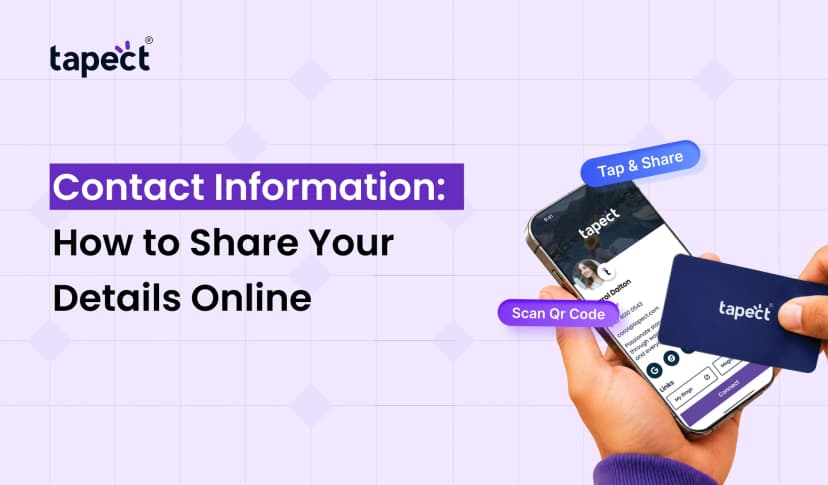
An Online Business Card is a digital profile that contains your professional contact info. Instead of giving a paper card, you can provide a link, QR code, or NFC card that displays your details on their phone.
For example, a sales executive could send a profile with his name and company, phone number, email and website. The person receiving it can save the contact details and get in touch whenever needed.
A Digital business card is perfect for freelancers, business owners, sales teams, job seekers and other professionals looking to make connections.
Unlike with printed cards, online details can be altered without ordering a new batch of cards. This makes it a practical choice for people who change roles, telephone numbers or business details.
Benefits of an Online Business Card
By switching to an online card you will be able to network easier and get people to find your business. Here are some benefits you need to know.
1. Share Contact Details in Seconds
You don’t have to remember to pull out a piece of paper every time you meet someone. Just send your profile link, show your QR code or use an NFC card to give people access to your details.
An Online Business Card is a convenient way to share contact details at meetings, conferences, and client visits.
2. Save Money on Printing
If your details change or you run out of cards you will need to reorder printed cards. This requirement is minimised with a digital card as your profile can be updated whenever required.
It’s useful for businesses that often share contact information with new clients, partners or employees.
3. Keep Your Information Updated
Have you changed your phone number, title or website? Instead of printing new cards, you can update your online profile.
A Virtual business card keeps your professional information in one spot. Your profile will show the most recent information available.
4. Make a Better First Impression
A clean and professional profile allows people to know who you are and what you’re offering. You can choose to add your company’s information, services, portfolio and social media profiles.
Tapect provides a more convenient way to network with a modern contact sharing experience.
5. Support Eco-Friendly Networking
Paper cards are convenient but printing lots of them wastes paper. You can also use an online card to reduce printed materials.
For professionals who want to share information but with less paper resources, digital visiting card is a practical option.
Important Features of an Online Business Card
Check out the features you want before you decide on a platform.
Contact Information in One Place
People should be able to easily find your profile with:
- Full name and job title
- Business name and logo
- Phone number and email address
- Office address and website
- Social media profiles
This information helps people know what your role is and access you in their preferred way.
QR Code Sharing
People can scan QR codes with their smartphone camera to access your profile. You can present the code on printed cards, presentations, brochures or on your phone screen.
This is a handy feature for when you meet someone in person and want to share your details quickly.
NFC Contact Sharing
When an NFC-enabled card is near a compatible smartphone, the phone can open a profile connected to the card through NFC technology. It makes sharing contact information quick and easy.
An NFC card can come in handy for salespeople, consultants and business owners who meet new contacts regularly.
Website and Social Media Links
You can add links to your website, LinkedIn page, Instagram account, portfolio or product pages in your profile. This provides visitors with more ways to learn about your work.
A well organised Online Business Card could be a good starting point for people who want to explore your services.
Easy Updates
Select a platform where you can easily edit your information. You should be able to update your details as your business changes without starting from scratch.
Online Business Card vs Traditional Business Card
They are both ways of sharing contact information, but do it differently.
- Traditional business card: A printed card with fixed contact details.
- Online business card: A digital profile that can include clickable links and updated information.
- Online visiting card: A convenient way to share professional details through a link, QR code, or compatible NFC card.
There is still a place for cards at events and meetings. But an online profile offers more opportunities for people to reach out to you after the initial contact.
You can also mix the two formats. print a QR code on your paper card, for instance, so people can access your full profile.
How to Create an Online Business Card
There are a few simple steps to help you craft your profile easier.
Step 1: Choose a Trusted Platform
First, select a platform with the features you need. Tapect is a digital business card solution, perfect for anyone who wants to share their professional details with ease.
Look at the features available and select a suitable one for your networking needs.
Step 2: Add Your Professional Details
Please enter your name, job title, company name, phone number, email address and website. Share the profile Share Share this profile Verify your details
If you run a business, include a short description of your products or services so visitors will know what you do.
Step 3: Customize Your Profile
Keep the design simple and easy to read. Choose a suitable colour scheme, have a clear profile photo or company logo and arrange your information in a useful order.
Your profile should look professional on phones and computers.
Step 4: Add Useful Links
Offer links that invite people to take the next step. Depending on your job you could add:
- Your company website
- LinkedIn or other social profiles
- A product or service page
- Your online portfolio
- A booking or contact page
A well designed Electronic business card should make it easy for people to connect with you and not bombard them with too many links.
Step 5: Share Your Card
Once your profile is ready, share it via the provided options. Share the link via email, WhatsApp or messaging apps. Face-to-face networking can also be done with a QR code or compatible NFC card.
Step 6: Test Everything
Open your profile on a smartphone and verify the phone number, email, website and other links are working correctly. Have a colleague test it before sending it to customers.
A quick check will help you avoid missed connections from broken links or incorrect information.
Tips to Get Better Results from Your Online Card
Creating a profile is just the first step. Use it properly to get more value out of your networking efforts.
- Keep it short: Add the details people need most.
- Use a clear photo: Help people recognize you after a meeting.
- Add a call to action: Invite visitors to call, book a meeting, or explore your services.
- Share it regularly: Include your profile in email signatures, social media bios, and sales messages.
- Keep details current: Review your profile whenever your contact information changes.
- Make it mobile-friendly: Most people will open your card on a smartphone.
These are small steps that can make your profile more useful and help convert new connections into business opportunities.
Who Should Use an Online Business Card?
There are many types of professionals that can use an online card, for example:
- Business owners: Share company details and connect with potential customers.
- Freelancers: Show services, portfolios, and contact information in one place.
- Sales teams: Make it easier for prospects to save contact details.
- Job seekers: Share professional information with recruiters and hiring managers.
- Consultants: Help clients find service details and booking links.
- Event attendees: Exchange contact information without carrying large stacks of cards.
If you’re working in a field where you meet people or are trying to make professional connections, an online card can make it easier.
Frequently Asked Questions
1. What is the purpose of an Online Business Card?
An Online Business Card enables you to share professional contact details, links to your website, social profiles and other helpful information through a digital profile.
2. Can I make an Online Business Card for free?
Some platforms have free plans and some charge for advanced features. Shop around for service — look at the prices and what’s offered.
3. How do people look at my card online?
Sharing your profile is easy — you can share a link, scan a QR code or tap a compatible NFC card against a supported phone.
4. Is a digital card better than a paper one?
A digital card can be updated easily and have clickable links. When you want to give someone a physical object, the printed card can still be useful. You can combine the two options for more flexibility.
5. Can I change my details once I share my card?
Yes if you can edit your profile on your platform. When people look at your profile again they will see your profile changes, you don’t need to print new cards.
6. Can an online card help to generate leads?
Yes. You may include links to your website, service pages, booking form, or contact page. They also provide an easy way for interested people to learn more and get in touch with you.
Conclusions
An Online Business Card is an easy way to share your professional info, aid in networking and help others connect with your business. It has useful features beyond a traditional printed card, including clickable links and QR codes, and NFC sharing.
Freelancer, business owner, consultant or sales pro, the right profile can help you make a good first impression and keep in touch with new contacts.
Want to make networking easier?
Find out about Tapect and make your digital profile to make sharing your contact details easier. Make it simple for your customers and professional contacts to find you, learn about your services and get a conversation going. Pick a solution that works for you and move on to smarter business networking.
 22 Oct 2026
 business