A positive first impression can open the door to new business opportunities. Whether you are a small business owner, freelancer, or run a growing company, it is important that you share your contact information clearly and professionally. Business Cards can help with that.
A good card tells people who you are, what you do and how they can reach you. It also gives them something to take away from a meeting, event or business discussion.
Today, there are many options to choose from including classic paper cards, custom business cards, metal cards, and digital options. Smart digital business card solutions like Tapect make it easier to share professional details.
In this guide you will learn about different types of cards, design ideas, printing options and simple tips to make your card stand out.
Business cards are small cards that are used to share business information.
Business cards are small cards that display important professional information. They typically include your name, job title, company name, phone number, email address and website.
They are used by people to introduce themselves, to build connections and to help potential customers remember their business.
A real estate agent can give a card to a new client. A web designer can hand one to someone who needs website services, for example.
A professional card needs to be simple, readable and relate to your brand. You don’t need a complicated design to make a big impression. The right information and a clean layout often do the trick.
What Are Business Cards?
People may use social media and email on a daily basis, but there is still a place for printed cards in the professional world.
Here are some reasons for their continued usefulness:
- Easy contact sharing: People can quickly find your phone number, email, and website.
- Professional image: A neat card shows that you take your work seriously.
- Better networking: You can share your details at meetings, conferences, and business events.
- Brand recognition: Your colors, logo, and design help people remember your company.
- More business opportunities: A card makes it easier for interested people to contact you later.
Business Cards work even better if they provide people with a simple way to connect with your online profile, portfolio or website.
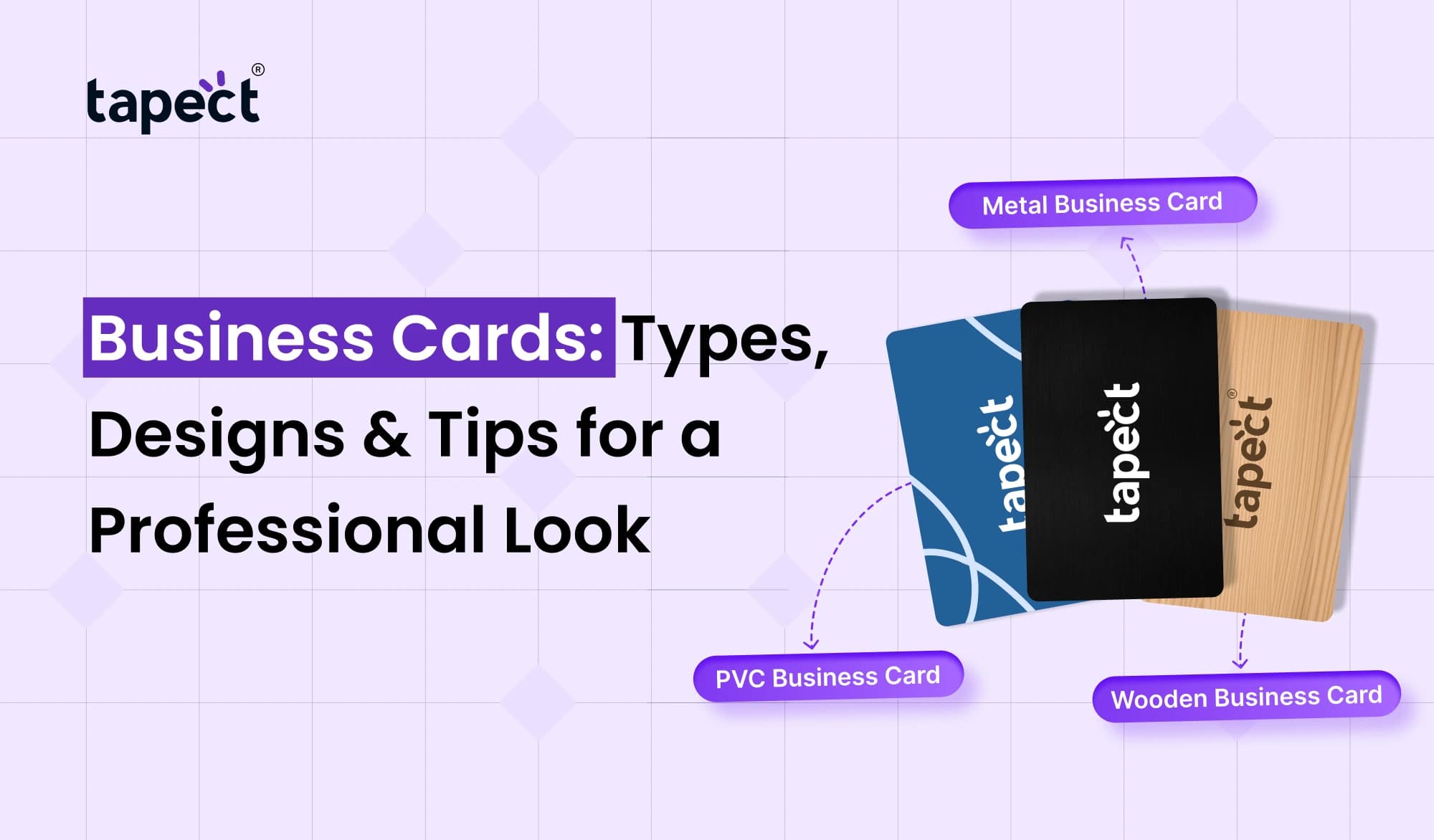
Different Types of Business Cards
The choice of card depends on your work, budget and the impression you want to make. Here’s a look at a few common options.
1. Traditional Paper Cards
Paper cards are a popular option for professionals and small businesses. They are easy to carry, easy to print and available in many designs.
You can choose matte, glossy or textured finishes depending on your taste.
Best for: Freelancers, shop owners, sales teams, consultants and local businesses.
2. Custom Business Cards
You can choose the size, colours, fonts, layout, and finish to match your brand with custom business cards.
For example, a creative agency may opt for bright colours and a bold layout, while a law firm may prefer a simple design with clean fonts.
When you order custom business cards, be sure the final design is reflective of your business and that key details are easy to read.
3. Metal Business Cards
Metal business cards have a different look from standard paper cards. They can be made from materials such as stainless steel or aluminium, and may have names, logos or other details engraved on them.
They can add a premium feel to your brand, especially when you are meeting clients who appreciate quality and attention to detail.
Best for: Business owners, executives, luxury brands, and professionals looking for a standout card.
Keep in mind metal business cards are usually more expensive than regular paper cards.
4. Digital Business Cards
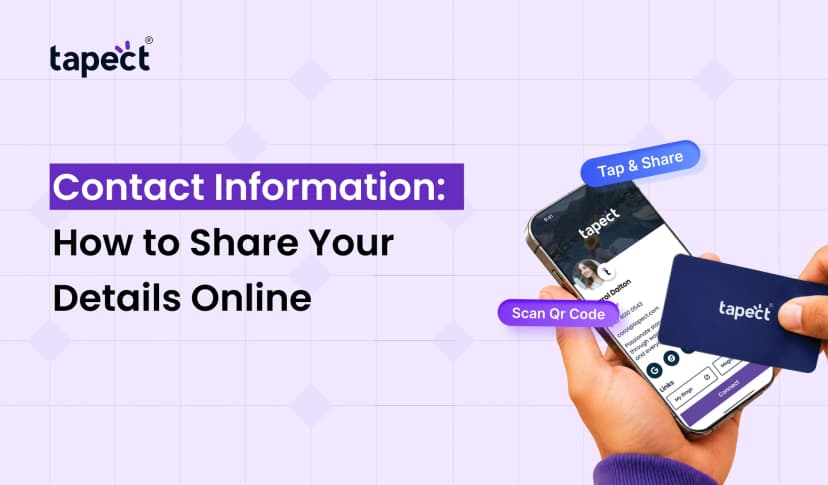
Digital cards let you share your contact information online, instead of just printed cards. You can send a link to your profile or use a QR code that opens up your contact details.
In a digital business card you can include the following items:
- Name and job title
- Phone number and email
- Website and social media links
- Company information
- Portfolio or booking link
Tapect offers digital business card solutions and allows professionals to share their information through a digital profile. This can come in handy when you want to keep your contact information handy and easily updatable.
5. NFC Business Cards
NFC cards use a technology called near-field communication technology that allows data to be transferred when a compatible smartphone is tapped against the card.
Instead of typing in a website address or searching for a profile, the person can just tap to open your digital profile.
An NFC business card can be a handy choice for professionals who attend networking events on a regular basis. Many NFC cards can also have a QR code, giving people another way to access your information.
How to Choose the Right Business Card Design
Design does not have to be complicated to be good. It should match your brand and make it easy to find your contact information.
Keep the Layout Simple
Don’t cram text, icons and graphics into every nook and cranny. Leave enough white space for the important details to pop.
Give people only what they need to get in touch with you or find out more about what you offer.
Choose Easy-to-Read Fonts
Fancy fonts look nice but are hard to read when printed small.
Use a clear font and make sure your name and company name is easy to spot.
Use Your Brand Colors
Your card should be a natural extension of your website, logo and other marketing materials.
For example, if your company colours are blue and white, keeping those colours on your card can help people recognise your brand.
Add a QR Code
A QR code can link your printed card to your online presence. They can scan it to visit your website, save your contact details or view your digital profile.
Test out the code on different phones before you print it to make sure it works properly.
Choose the Right Finish
Matte finishes are clean and simple, while glossy finishes can make colours appear brighter. The textured paper gives the card a different feel.
Pick a finish that is appropriate to your business, rather than one that is just expensive looking.
How to Use a Business Card Builder
With a business card builder, you can easily create a card without needing to hire a designer. There are many online tools that have templates you can use and modify to fit your needs.
To begin, follow these steps:
- Choose a template: Find a layout that suits your industry and brand.
- Add your details: Enter your name, company, job title, phone number, and email.
- Upload your logo: Use a clear, high-quality version of your logo.
- Select colors and fonts: Keep the design consistent with your brand.
- Add useful features: Include a QR code or website link if needed.
- Preview the design: Check spelling, spacing, alignment, and contact details.
- Download or order: Choose a suitable file format or send the design for printing.
A business card maker is useful for small businesses that want to make professional cards without spending a lot of time on design.
Business Card Printing: What Should You Know?
Good business card printing can make a huge difference to the end result. A great design can look bad if the text is blurry or the paper is too thin.
Before ordering check these points:
- Paper quality: Choose a material that feels suitable for your brand.
- Card size: Use a standard size unless your design requires something different.
- Print quality: Check that text, logos, and colors look clear.
- Bleed and margins: Keep important details away from the edges.
- Proofreading: Check every phone number, email address, and website link.
- Quantity: Order an amount that matches your needs and budget.
When possible, ask for a sample or printed proof. It helps you check the colours and finish before you order in bulk.
Are Vistaprint Business Cards a Good Option?
One of the options that people look at when they are looking for online card design and printing services is Vistaprint business cards. Such services can be useful if you want to choose a template, customise your details and place an order online.
When evaluating Vistaprint business cards, compare the materials, finishes, delivery costs and order quantities available.
Here are a few things to check before you purchase:
- Does the service offer the card style you want?
- Can you upload your own design?
- Are the printing and delivery costs within your budget?
- Can you review the final design before printing?
- Does the estimated delivery date meet your needs?
Do your research on more than one provider before you decide. Your design, budget, location and the print quality you want will determine the best choice.
Common Business Card Mistakes to Avoid
Little mistakes can make your card less helpful. Before printing Business Cards check the following:
Too much information added.
- Adding too much information.
- Using fonts that are too small.
- Choosing colors with poor contrast.
- Printing a blurry logo or image.
- Forgetting to check spelling and contact details.
- Using a QR code without testing it.
- Leaving out a clear way for people to contact you.
.
A simple card with the right information is often more effective than a crowded design with too many details.
Tips to Make Your Business Cards More Effective
If you want your card to support your marketing efforts, focus on what happens after sharing it.
Include a Clear Call to Action
What can you give people to take the next step? You could add a short line like “Scan to View My Portfolio” or “Connect With Us Online”.
Keep Your Details Updated
Have a new phone number, job title or website? Make sure your printed and digital information are the same.
Carry Cards to Relevant Events
Carry some cards around at conferences, meetings, trade shows, networking events, etc.
Connect Your Card to Your Online Profile
Tapect allows you to share your professional details online with a digital profile. Connecting your card to a helpful profile can help people learn more about your services after meeting you.
Follow Up After Meeting People
And sharing a card is just the start. Write a quick note or email after a key meeting to keep the conversation going and develop a deeper connection.
Frequently Asked Questions
1. What do I put on a business card?
Include your name, job title, company name, phone number, email address, and website. You can also add a QR code to open your digital profile or portfolio.
2. What is the best material for business cards?
Paper is cheap and works well for daily use. Metal cards have a premium look, while digital cards allow easy sharing and updating of information online.
3. How do I create professional business cards?
Use a business card maker, select a template that works for you, add your contact info, and make the colours match your brand. Design is always checked before printing.
4. Is it worth it to have custom business cards?
Yes, custom business cards can help your company stand out and create a consistent brand image. The best design for you depends on your audience, your industry and your budget.
5. Is it possible to add a QR code to my business card?
Yes. A QR code can direct to your website, contact page, digital profile or social media account. Test it out before you print to make sure it will open to the right page.
6. Are digital business cards a replacement for printed cards?
Both have advantages. Printed cards are great for in-person meetings, while digital cards are easier to share online and update when your details change. You can use both at the same time.
Conclusion
Business Cards are still a useful way to introduce yourself, share contact info, and make professional connections. Whether you need traditional paper cards, custom designs, metal finishes, or digital options, the right choice depends on your needs.
Stress the importance of a clear layout, readable text, good print quality and correct contact information. If you want to link your card to your online profile, add a QR code or NFC feature.
Tapect allows you to elevate your networking by sharing your professional details via a digital business card. This way people can learn more about you and stay in touch in a simple way.
Ready to make Networking Easy? Try Tapect and discover how sharing your professional information can be smarter.
 22 Oct 2026
 business