Business cards have changed a lot in the last few years. People don’t want to carry stacks of paper cards any longer, or manually type contact details into their phones. Today, we can share things instantaneously with a simple QR code.
Networking with a digital business card is faster, easier and more professional with a Print QR code. No matter if you’re a business owner, freelancer, consultant or sales professional, learning how to properly print QR code will help you build better connections and produce more chances.
In this guide you will learn all about printing a QR code for your digital business card, where to place it, typical mistakes to avoid and how to obtain the best results.
What Is a Print QR Code on a Digital Business Card?
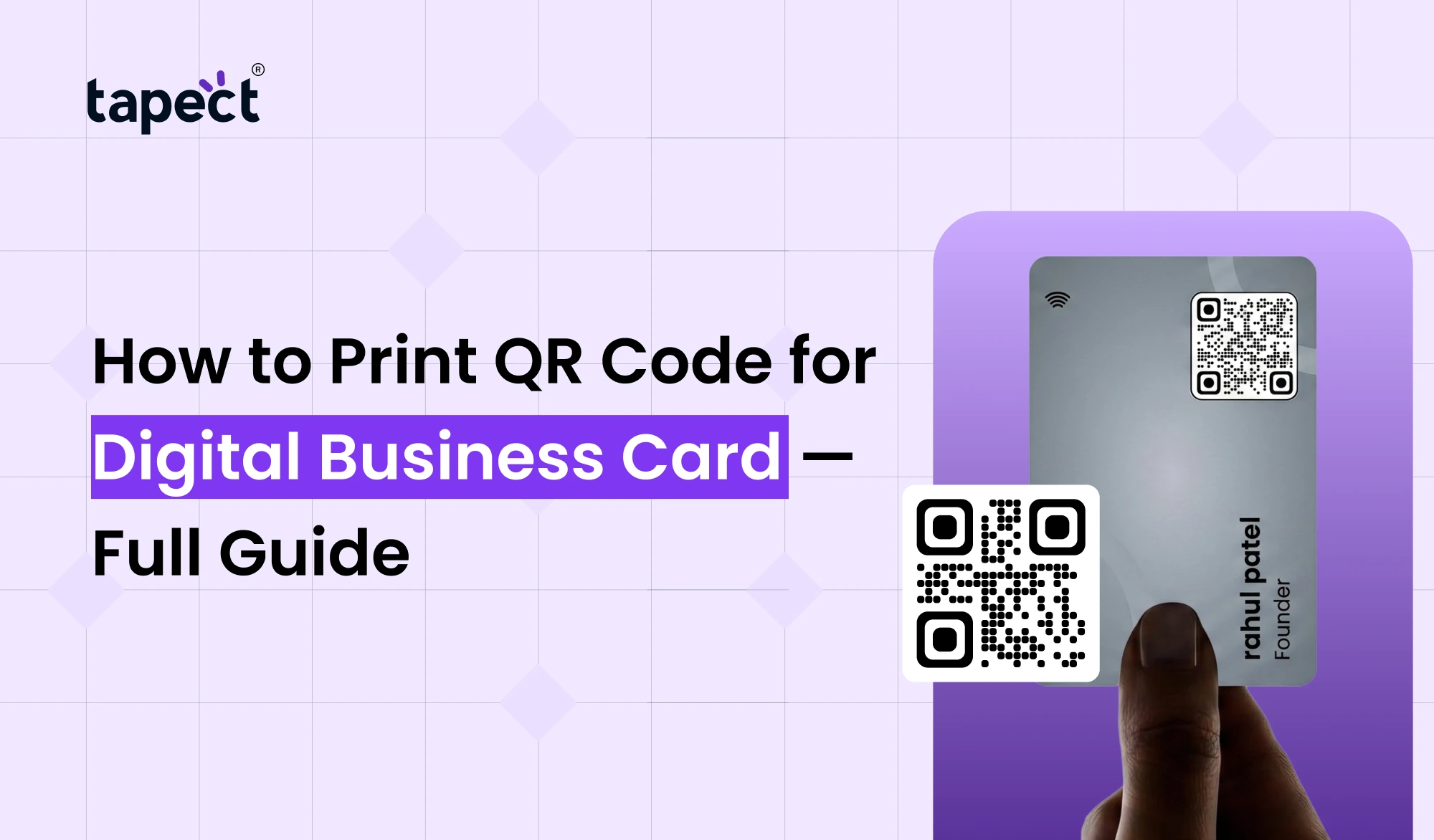
A QR code is a square image that can be scanned and has information in it. If someone scans it with a smartphone camera, they can quickly see your contact details, website, social network profiles, or digital profile.
A QR code on a digital business card eliminates the need for human input. Instead of inputting your phone number or email address, individuals may save your information with a single scan.
This basic feature makes it easier to network and enhances the odds that people will actually keep your details.
Why Businesses Are Using QR Codes on Business Cards
Traditional business cards still work, but they have their limitations. Cards get misplaced, destroyed or forgotten.
A qr code business card eliminates a lot of these issues.
Benefits include:
- Quick Contact Exchange
- Networking, faster
- Improved User Experience
- easy access to online pages and social profiles
- More polished look
- less print updates
Printing QR code on your card is an easy approach to help customers connect with you without extra work.
How Does a Digital Business Card QR Code Work?
It’s easy.
- Build your digital profile.
- Generate a QR code for that profile.
- Print the QR code on your business card.
- Someone reads the code
- Their phone opens straight away with your info.
A Print QR code on a virtual business card can contain:
- Name
- Phone number
- Email address
- Website
- Company information
- Social media links
- Portfolio links
- Maps location
This gives your business card considerably more utility than a typical printed card.
Step 1: Create Your Digital Business Card
Before Print QR code you need a digital business card.
Platforms like tapect make it easy to do that.
Your digital profile could include:
- Professional picture
- Contact information
- About Company.
- Social media accounts.
- Purchase links
- Details of the service
- Book appointment links
The more valuable info you give, the better experience consumers will have once they’ve scanned.
Step 2: Generate Your QR Code
Once you have created your digital profile, you will need to create a QR code.
Most digital card platforms will automatically generate a QR code for your digital business card.
When you write your code:
- Use high resolution
- Test before printing
- Keep the design simple
- Use dark colors on a light background
The code is easy to scan, which makes it more effective.
Step 3: Choose the Right Size Before You Print QR Code
When Print QR code on a business card, size is important.
If the code is too small it may not scan properly.
Suggested size:
- Minimum: 2cm x 2cm
- Ideal: 2.5cm x 2.5cm
It allows room for cellphones to scan the code rapidly.
If you’re making premium cards with Print QR codes, larger QR codes often work better.
Step 4: Select the Best Placement
Where you put your QR code impacts how often people scan it.
Some of the common ways to position it are:
Back of the Card
This is the most popular choice.
Advantages:
- Clean front look
- More room for branding
- More visual balance
This is the option chosen by many professionals to print QR code on business cards.
Bottom Corner
You may put a tiny QR code in the corner.
This works fine if you want to preserve your usual card layout.
Center Position
The Print QR code is centrally located for maximum exposure.
People see it immediately and are more inclined to scan.
Step 5: Use High-Quality Printing
One of the biggest mistakes individuals make is Print QR code in low quality.
Poor printing may cause:
- Blurry edges
- Scan failures
- Frustrated users
Always use:
- High-resolution QR files
- Professional printing services
- Quality card stock
It’s generally a good idea to test your printed sample before placing significant orders.
Design Tips for Better QR Code Scanning
The QR code should be practical, but appealing.
Here are a few tips to follow:
Keep Enough White Space
Leave some breathing room around the code.
This allows phones to recognise the code faster.
Avoid Busy Backgrounds
Do not use a pattern or image on top of your QR code.
Keep the backgrounds simple.
Add a Call-To-Action
Tell folks what occurs when they scan.
Examples:
- Scan to Save Contact
- Scan to Connect
- Scan to View My Profile
- Scan to Get My Details
Clear call-to-action can dramatically push scan rates up.
QR Code vs Barcode Digital Solutions
Many individuals compare Print QR codes to traditional barcode digital technologies.
A typical barcode contains only little information.
A QR code is great for business networking and can hold a lot more info.
Print QR codes provide:
- Speedier scanning
- More storage capacity
- Improved mobile compatibility
- Better user experience
That’s why most modern firms pick QR codes over classic barcode solutions.
Common Mistakes to Avoid
Don’t make these blunders if you want the greatest outcomes
Printing Too Small
The small code may look clean, but often this causes problems with scanning.
Using Low Resolution
Use good quality files when you print QR code.
Not Testing Before Printing
Test your code on more than one device before ordering the cards.
Link to the Wrong Page
Check that the destination page is working well.
Over engineering the QR Code
Too many colours and design modifications can affect the accuracy of the scan.
Why Virtual Business Card QR Code Is Better Than Traditional Cards
There is limited space on traditional cards.
A QR code for a virtual business card opens up endless possibilities.
You could update:
- Phone numbers
- Email addresses
- Website links
- Social profiles
without having to print new cards.
It’s cheaper and it keeps your information up-to-date.
How Tapect Makes QR Code Business Cards Easier
Tapect helps professionals build smart digital business cards that are easy to share.
You can, with Tapect.
- Develop a professional digital profile
- Generate QR code immediately
- Share details in one scan
- Update information when you want
- Assess engagement and relationships
Whether you’re at networking events, business meetings, trade exhibitions, or conferences, Tapect helps you make a better first impression.
Best Uses for Cards With QR Codes
Businesses are finding all sorts of imaginative uses for qr code cards.
Examples are:
Sales Professionals
Share contacts in a flash.
Real Estate Agents
Direct link to property listings.
Consultants
Link prospects to service pages.
Freelancers
Show portfolios and past work.
Owners of businesses
Drive traffic to websites and booking pages.
Strategic printing of QR code makes your card a marketing one, not just a contact card.
Future of QR Code Business Cards
Digital networking is increasing year by year.
More companies are heading toward:
- Contactless sharing
- Smart networking
- Digital profiles
- NFC technology
- QR-based communication
As cellphones get more advanced the use of QR codes will keep on increasing.
This is the best moment to begin implementing a qr business card into your networking plan.
FAQs
1. How to print QR code on the business card?
Create a digital profile, generate a QR code, download the file and insert it into your business card design before printing it.
2. How big should a QR code be on a business card?
Reliable scanning is suggested for at least 2 cm × 2 cm.
3. Can I use a QR code for a Digital Business Card instead of a physical card?
Yes. A digital business card QR code is the go-to networking tool of many professionals.
4. Will the virtual business card QR code work on all mobile phones?
Most current smartphones have a camera app that can scan QR codes right away.
5. Are QR-coded cards the better choice?
Yes. They speed up the process of sharing information and boost the odds that individuals will save your details.
6. Once I print the QR code, can I change my information?
If the QR code corresponds to a dynamic digital profile, you can update your information at any moment without having to reprint cards.
Conclusion
Learning how to print QR code for your digital business card is one of the savviest modifications you can make to your networking strategy. A plain card becomes an interactive device with a QR code, allowing people to communicate with you quickly.
When you get the size, positioning, design, and printing quality just perfect, you can create a professional experience that creates a lasting impression. Whether you’re utilising a digital business card QR code, a virtual business card QR code, or a full qr business card, the purpose is the same: making it easier for customers to get in touch with you.
Businesses who embrace QR-powered cards will have a competitive edge as digital networking becomes the norm.
Get Started with Tapect Today
Want to take your networking to the next level?
Make a professional digital business card with Tapect and create a smart QR code in minutes. Instantly share your contact details, social profiles, website and business info with one scan.
It’s time to ditch old paper cards and start making better relationships with Tapect now.
 10 Sept 2026
 business