A lot has changed with business cards. Just a few years back a card only needed to have your name, phone number, email and company information. Today, people want a faster way to connect, visit your website, or save your contact info.
That’s where a Business Card QR Code can be really helpful.
Instead of giving someone your phone number or looking up your company online, they can scan a code and get your information in seconds. It’s simple, useful and works well for salespeople, freelancers, business owners, and professionals.
In this guide, we’ll tell you what a Business Card QR Code is, how to create one, what you can link it to, and how to use it to make networking easier in 2026.
What Is a Business Card QR Code?
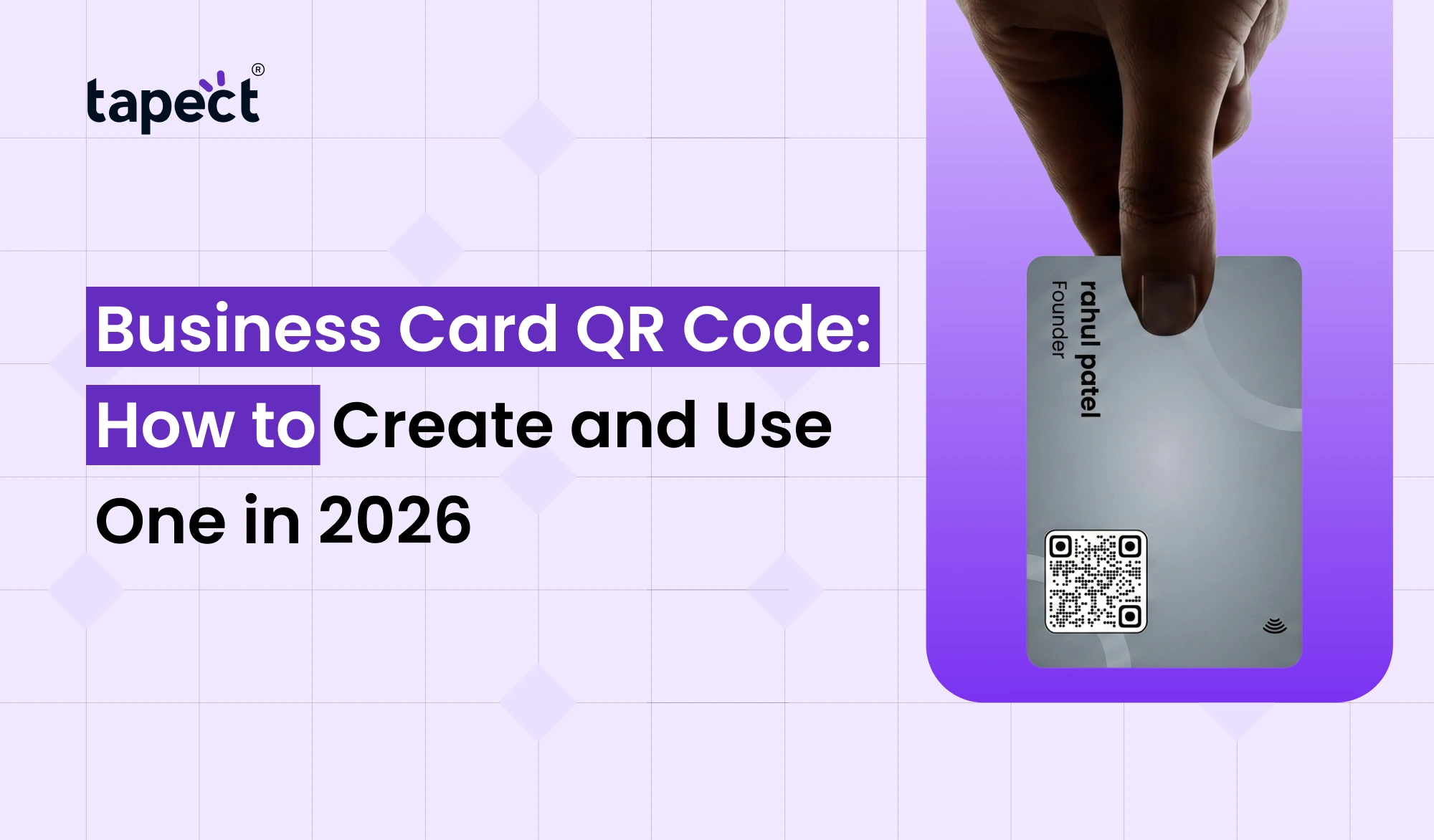
A Business Card QR Code is a scannable code that can be added to a business card (printed or digital). Scanning the code with a smartphone can launch your contact information, website, social media profile, portfolio or any other online page.
Consider it as a bridge connecting your physical business card with your online identity.
For example, you can print a QR Code Business Card with your name and contact details on the front side. The back has a QR code that can lead people to your complete digital profile.
This means that you don’t have to fill your card with too many information.
Why Use a QR Code on Your Business Card?
A Business Card QR Code makes it easy for people to take action after they meet you.
Traditional cards are convenient, but there’s one common problem. The details need to be added manually by people. Sometimes people forget, lose the card or put in the wrong phone number.
But a QR code takes care of much of that work for you.
Here’s why you should add one:
- Makes contact sharing quicker
- Gives your card a modern look
- Connects your offline networking with your website
- Lets you share more information without overcrowding the card
- Makes it easier to collect leads
- Can send visitors directly to your social profiles
- Works with most modern smartphones
A Business Card with QR Code is especially useful at conferences, meetings, trade shows, exhibitions and networking events.
What Can You Put Behind a QR Code?
There is more to your QR code than simply opening a phone number. There are a lot of reasons to use it.
You have several options here:
Contact Information
Create a QR Code Contact Card so people can save your name, phone number, email, company and more.
Website
Direct visitors to your company website or service page.
Social Media
Connect your LinkedIn, Instagram, Facebook and other professional accounts.
Portfolio
You could utilise the code to display works by freelancers and creative professionals.
Lead Form
The code can be linked to a simple form where visitors can send their name, email or phone number.
Reviews
A Digital Business Card QR Code can be used by a business to send customers directly to a review page.
How to Create a Business Card QR Code
Making a Business Card QR Code doesn’t need to be hard. You can do this in the following simple steps.
Step 1: Decide What You Want to Share
Select the page or information you want people to see.
A contact profile is a good starting point for networking.
Step 2: Create Your Digital Profile
You can make a digital business card with your contacts, website, social links, company info and other useful info.
Step 3: Generate the QR Code
Generate your code using a reputable QR code generator or digital business card service.
Step 4: Add It to Your Card
Put the code in an area where people can easily see and scan it.
Step 5: Test Before Printing
It’s easy to overlook this step, but it counts. “Scan the code with different phones and check that the right page opens.
A broken Business Card QR Code can turn a useful networking tool into a missed opportunity.
How to Design a QR Code Visiting Card
A good QR Code Visiting Card should be clean and not overloaded.
You don’t have to write everything on the card. Your name, title, company, phone number, email, website and QR code may be enough.
Remember these design tips:
- Keep enough white space around the QR code
- Use a clear contrast between the code and background
- Do not make the code extremely small
- Avoid placing the code over a busy image
- Add a short message such as “Scan to Save My Contact”
- Test the printed version before ordering a large batch
You want to make scanning feel natural.
How Tapect Can Help
Tapect helps you easily turn a normal card into a more useful networking tool.
With a Tapect profile, you can share your details with a Business Card QR Code without the need to fit everything on the printed card.
Some useful features are:
- Sharing contact info by scanning.
- Add links to your website and social media sites.
- Build a professional online identity
- make it easy for people to save your details
- QR sharing combined with NFC technology
- Update your online information without redesigning your paper card
If you regularly encounter new clients or business contacts this can be a useful approach.
QR Code Business Card vs Traditional Business Card
Think of a traditional business card as a static information source. If you change the phone number, website or job title after printing it, then you have to print new cards.
A QR Code Business Card can connect people to an online profile that you can keep up to date.
Suppose you change your company’s website. With a regular card, your old cards will still show the old website. You can still use the same card, but change the information online with a QR code that connects to an editable digital profile.
That can make networking more nimble.
QR Code Business Card and NFC Business Card
QR codes aren’t the only way to share digital contact information.
An nfc business card uses Near Field Communication (NFC) technology. Rather than scanning a code, a person can touch their compatible smartphone to the card.
The two options can work together.
A card can feature NFC technology for fast, tap-to-share access, or a visible QR code for those who prefer to scan.
This gives users a variety of ways to access your information.
How to Use Your QR Code to Get More Leads
QR codes aren’t lead-generating tools in themselves. You have to give people a reason to want to see it.
Try these ideas:
Offer Something Useful
Connect your code to a free guide, consultation form, discount, portfolio or useful resource.
Use a Clear Call to Action
Instead of just the code write something like:
“Scan to get my contact”
or
“Scan to see my portfolio.”
If people know what is going to happen, they are more likely to scan.
Keep the Landing Page Simple
Don’t direct visitors to a page with too many choices. Facilitate the location of important actions.
Update Your Profile
Update your phone number, email, website, social links and other information.
Common Mistakes to Avoid
Before you print your Business Card QR Code, check a few common problems.
Poor Print Quality
A blurry or damaged QR code might not scan correctly.
Too Small
Code that is too small is hard to scan, especially in low light.
Broken Link
Always test the target page.
No Call to Action
People may not know what the code is doing. A little instruction goes a long way.
Too Much Information
Your card should be easy to read. The QR code can deal with the additional info.
FAQs
1. What is a Business Card QR Code for?
A Business Card QR Code can share contact details, websites, social profiles, portfolios, lead forms, and other information online.
2. Is there a way to create a QR Code Business Card for free?
Yes, it is. There are plenty of free tools for QR codes and digital business cards. Features available may vary from platform to platform.
3. Can a QR code store contact information?
Yes. You can design a QR Code Contact Card so that it is easy for someone to save your contact details on their phone.
4. Is a QR Code on a Digital Business Card better than a printed card?
They are different reasons. With a printed card people have something physical to hold on to. A Digital Business Card QR Code can take them directly to your online profile.
5. Can I use QR code and NFC both?
Yes. An nfc business card with a QR code on it is a great way to give people tap and scan options.
6. Can I add a QR code to a business card I’ve already created?
Yes. If you are redesigning, or reprinting your card, you can add a QR code to the layout. Make sure it is easily scanned and there is enough space.
Conclusions
A Business Card QR Code is an easy way to make your business card more useful in 2026. Rather than restricting your card to a small handful of contact details, you can link people to your full digital profile with one scan.
You can use it to share contact details, websites, social media, portfolios, reviews and leads forms. When combined with a digital business card or nfc business card it can bring even more flexibility to your networking strategy.
It’s not just about adding a QR code. Give people a good reason to scan it. Make the destination useful. Keep your information current.
Want to Smarten Up Your Business Card?
Tapect allows you to create a professional online profile, and makes it easy to share your contact details. Transform your ordinary networking card into an intelligent connecting device with QR and NFC sharing.
Make your Tapect digital business card now and turn every new contact into an opportunity.
 24 Sept 2026
 business