A business card is still one of the simplest ways to introduce yourself and share your contact information. But now, you don’t always need to go to a designer or print shop to make one. You can design professional-looking cards online with a Business Card Builder in a few easy steps.
A well designed card can help people remember you if you are a freelancer, business owner, sales person, consultant or employee. You can add your name, title, phone number, email, website, social media links and other important details.
Modern tools can also assist you in creating cards that connect your offline networking to your online presence. Brands like Tapect are making this even easier by combining digital contact sharing with modern business card solutions.
What Is a Business Card Builder?
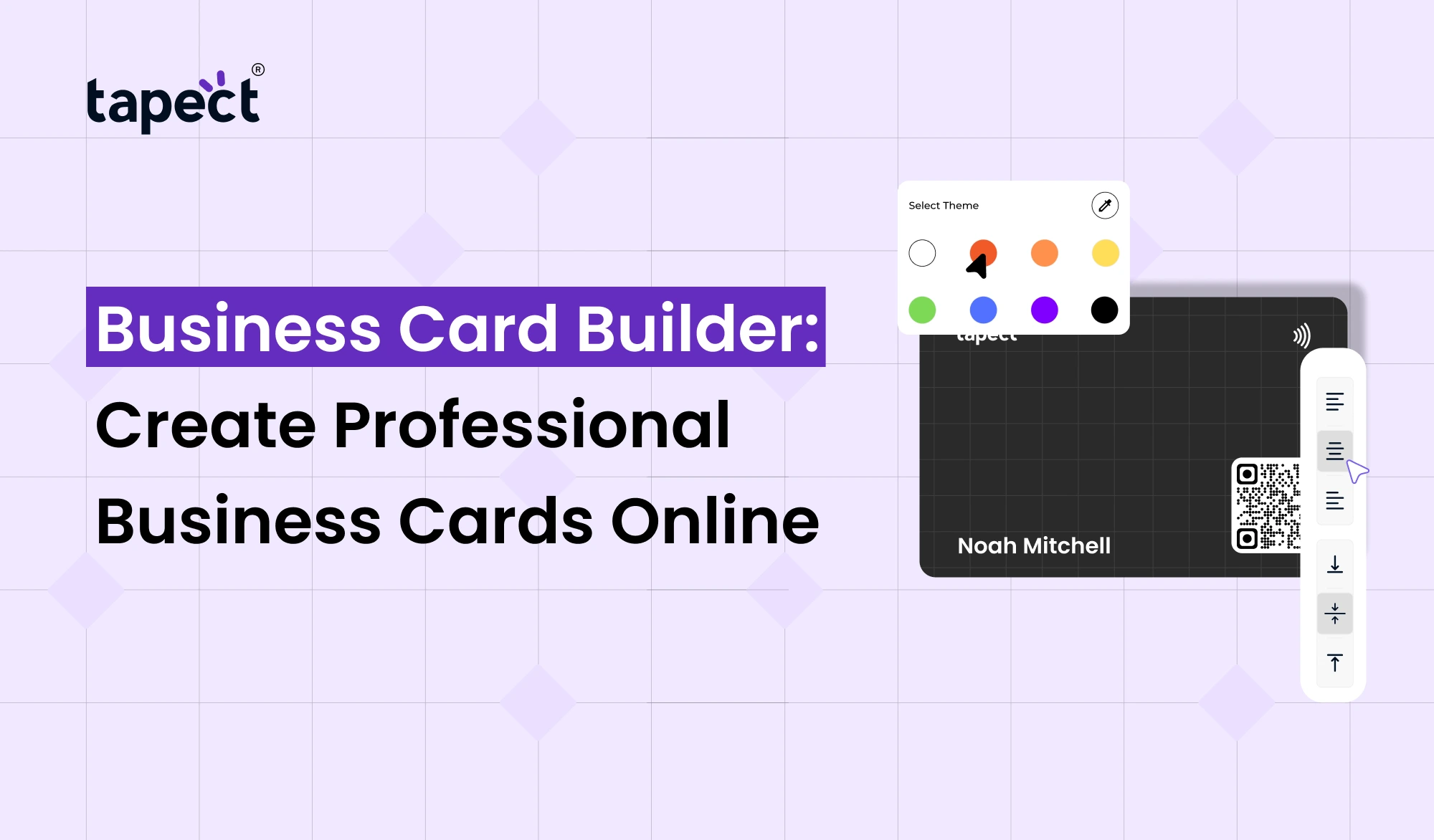
A business card builder is an online tool that enables you to design a business card without advanced design skills. You don’t have to start from scratch, you can choose a layout, fill in your information, choose a design and create your card.
A good Business Card Builder allows you to take control of important points like:
- Your name and job title
- Company name and logo
- Phone number and email
- Website URL
- Social media profiles
- Colors and fonts
- Images or brand elements
- QR codes
- Contact-sharing options
This makes it very easy to design a professional card, even if you have never used a design tool before.
Why Use an Online Business Card Builder?
Making a card the old-fashioned way can take a lot of time. You may have to contact a designer, tell them what you want, look at some designs, tweak it a bit and then print it.
An online business card maker makes it simple.
You can work on your card from a computer or smartphone and make changes when you need them. It’s useful if you often change your address or phone number.
Some of the major benefits are:
- Easy-to-use design tools
- Ready-made templates
- Quick editing
- Professional layouts
- Digital sharing options
- Easy access from different devices
- No advanced design knowledge required
For busy professionals, an online business card maker can help you save time and effort.
How Does a Business Card Builder Work?
Making a business card with a business card builder is usually fairly easy.
1. Select a Template
Use a template that fits your profession and aligns with your brand style. A clean design is generally better than a card packed with too many elements.
2. Add Your Details
Fill in your basic details including:
- Full name
- Job title
- Company
- Phone number
- Email address
- Website
- Social profiles
Verify all the information before you publish or print your card.
3. Add Your Brand
Your business card should look like it belongs to your brand. Add your company logo, your brand colours and a font that matches your website or other marketing materials.
4. Add a QR Code
A QR code can link your physical card to your online profile. Scan it with a phone and you’ll quickly get to your contact details or website.
5. Review and Share
Check design on desktop and mobile. Once you are happy, you can send the card electronically or use the design for printing.
Features to Look for in a Business Card Builder
Not all tools have the same features. Try Business Card Builder with the features that make it easy and useful to create cards.
Easy Templates
Templates get you started quickly. Seek designs that are clean, professional, and appropriate for various industries.
Simple Editing
You should be able to change text, colours, logos and links without having to learn complicated software.
Mobile-Friendly Design
Many people use their smartphones to access business information. Your digital card should look good on smaller screens as well.
QR Code Support
Another way for people to get your contact information is by using a QR code.
Digital Sharing
A good card should be easy to share by email, WhatsApp, social media, or a simple link.
Digital Business Card Builder for Modern Networking
Networking has evolved. Today people connect through LinkedIn, WhatsApp, email, websites and other online platforms.
A digital business card builder helps to bring all of these details together in one place.
Instead of giving someone a paper card and hoping they will remember the information, you can share a digital profile directly.
Digital card can contain:
- Contact information
- Company details
- Website
- Social media accounts
- Portfolio
- Location
- WhatsApp link
- Email button
- QR code
It can make networking faster and more convenient.
Business Card Maker vs. Traditional Design
A business card maker provides you more control over the design process. You can experiment with layouts and change your details without beginning again.
Traditional printed cards still have a role to play, particularly in meetings, conferences and face-to-face events. But digital cards can supplement them.
For example, you might print a QR code on your physical card. When someone scans it, your digital profile pops up.
So you have both physical and digital networking options.
Create a Professional Card Without Design Skills
You don’t have to be a professional designer to create a good business card.
A Business Card Builder can walk you through the basic design process. The primary goal is to keep the card clear and legible.
Just follow these simple tips:
- Use one or two main fonts.
- Keep enough space between sections.
- Avoid using too many colors.
- Make your name easy to notice.
- Keep contact information readable.
- Use a clear company logo.
- Add only useful information.
- Check all phone numbers and links.
A professional card doesn’t have to be complicated. Just remember that.
Using an Online Business Card Maker for Your Brand
If you need business cards for multiple employees or team members, an online business card maker can come in handy.
For example, a company can create a common card style and provide each employee with their own contact details.
It offers a consistent brand image throughout the company.
A business can also link the card to its website, social profiles, lead forms or digital contact page.
Custom Business Card Builder for Personal Branding
A custom business card builder is handy if you want more control over your card.
You are able to develop design that reflects your personal or company brand, rather than a simple template.
You can customise.
- Background
- Font style
- Logo position
- Colors
- Contact buttons
- QR code
- Social links
- Profile information
This is especially helpful for freelancers, consultants, photographers, designers, real estate professionals and business owners.
How Tapect Makes Digital Networking Easier
Tapect is the modern digital business card solutions for easy contact sharing.
Rather than a standard printed card, you can share your professional information via a digital profile.
Tapect lets users create a profile that can be shared using modern contact-sharing methods.
Some of the benefits include:
- Share professional contact details quickly
- Connect your online profiles
- Give people access to your digital information
- Use QR-based sharing
- Support modern networking
- Reduce the need for repeatedly printing updated cards
If you are a professional who attends meetings, exhibitions, conferences, or networking events, a digital card can make sharing much easier.
Business Card Builder for Lead Generation
Your card is not sufficient to tell people who you are. It can also create new business opportunities.
A Business Card Builder can help you design a card that sends people to your website, landing page, portfolio or contact form.
Imagine a potential client bumps into you at an event. Instead of asking them to search for your company later, you can let them scan your QR code and visit your profile right away.
Even a simple card can be the beginning of a new conversation or business lead.
Common Mistakes to Avoid
Even with a good Business Card Builder, if you put a lot of information on the final card it will look unprofessional.
Don’t make these common mistakes:
Too Much Text
People should be able to read your card in seconds.
Poor Font Choice
Fancy fonts can be interesting, but difficult to read.
Missing Contact Details
Make it easy for people to find your phone number, email or website.
Low-Quality Logo
A clear version of your company’s logo.
Broken Links
Test any QR code or website link on the card before passing on.
Outdated Information
Change your job title, phone number, website or social profile, and update your digital card.
Who Can Use a Business Card Builder?
A Business Card Builder is handy for nearly any professional.
It might be useful for:
- Small business owners
- Freelancers
- Entrepreneurs
- Sales teams
- Marketing professionals
- Real estate agents
- Consultants
- Designers
- IT professionals
- Students
- Job seekers
- Agencies
- Corporate employees
Whether you’re a lone worker or leading a large team, an online card can make networking easier.
FAQs
What is a Business Card Creator?
A Business Card Builder is an online tool that enables you to design and customise a professional business card without needing advanced design skills.
How to create a digital business card online?
Yes You can use a digital business card maker to create an online profile with your contact details, website, social links, and other information.
Are online business card makers simple to use?
Yes. Most tools come with templates and easy editing tools, so you can design a card without any professional graphic design experience.
Can I put a QR Code on my business card?
Yes. A QR code can connect your physical or digital card to your website, contact page, social profiles or other online info.
What is the difference between business card maker and digital card?
Most people use a business card maker to make a card, usually for printing . A digital card is designed to be shared on the web and can contain links that can be clicked and other interactive features.
it is possible to make a business card for your company?
Yes. With a custom business card builder, you can customise the colours, fonts, logos, layouts, and contact information to match your brand.
Digital Business Cards vs Printed Cards: Which Is Better?
Each has its advantages. You can give a printed card when you see someone in person, or a digital card for sharing updated information and links to the web.
Final Thoughts
Making a professional business card doesn’t have to be hard or expensive. Design a clean card using a Business Card Builder, enter your important information and start sharing it with potential customers and professional contacts.
Online business card builders can save you time, and digital business card builders can help you take networking beyond a printed card. For more control over your design, a custom business card builder offers plenty of options.
Tapect also allows you to bring digital contact sharing into your networking strategy. Add your profile, link your important links and make it easy for people to stay connected with you.
Ready to Design Your Digital Business Card?
Don’t use the old methods of sharing contact information. Seize every networking opportunity with Tapect’s professional digital business card design. Create your profile, send your details and give your new connections a quick way to keep in touch.
 05 Oct 2026
 business