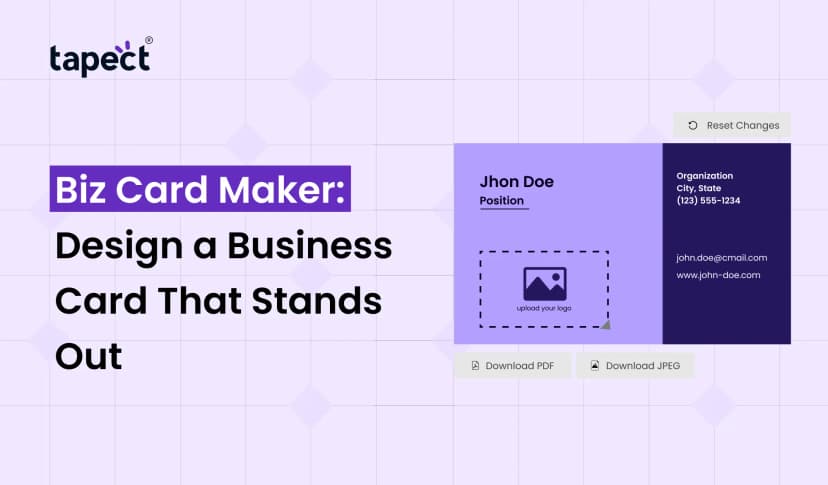
A business card is still one of the easiest ways to share your contact information. But you don’t always need a designer or fancy software to build one. You can make professional looking card online in just a few minutes using a Business Card Builder.
A well designed card can help people remember you, whether you are a business owner, freelancer, employee, student or sales professional. All your name, phone, email, website, social profiles and other important info in one place.
Even if you don’t have any design experience, tools like an online business card creator make the process simple.
What Is a Business Card Builder?
A Business Card Builder is an online tool that enables you to create and customise business cards without having to start from scratch.
You can generally pick a template, input your information, select colours, add a logo and adjust the layout. When you are done with your design you can save it to use online or prepare it for printing.
A good builder can help you design a card that looks clean and professional without spending hours learning design software.”
Why Use an Online Business Card Builder?
Designing traditional business cards takes time. You might have to hire a designer, explain what you need, look at different designs and change things.
There are a lot of these things you can do yourself with a Business Card Builder.
Some helpful benefits are:
- Make a card from anywhere.
- Choose from pre-designed layouts
- Add your own logo and details.
- Alter fonts and colours
- Update your details when necessary
- Create cards for various employees
- Save time on your design work
- Create printable and digital cards
This makes an online free business card maker great for startups, freelancers and small businesses that want an easy way to create cards.
How to Create a Business Card Online
You can make a professional card without it being difficult. Most of the online tools work in a simple way.
1. Choose a Template
The first step is to choose a design that reflects your profession or business. Keep the layout simple and readable.
A lawyer might want something clean and formal, while a creative professional might want something more colourful.
2. Add Your Business Details
Share the information people need to contact you.
You could add:
- Full name
- Job title
- Company name
- Phone number
- Email address
- Website
- Office address
- Social media links
Avoid adding too much information. Your card should be easy to scan at first glance.
3. Add Your Logo
Your logo also helps people identify your brand. Put up a clear one in a place that doesn’t make the card look cluttered.
4. Choose Your Colors
Use colours that match your brand colours. Usually two or three colours is sufficient.
A clean combination of colours can make your card look more professional and be easier to read.
5. Check the Final Design
Review the details before downloading or sharing your card.
- Spelling mistakes
- Incorrect phone numbers
- Wrong email addresses
- Broken website links
- Poor spacing
- Text that is too small
A quick check can prevent embarrassing mistakes later on.
What Makes a Professional Business Card?
A professional card isn’t about cramming in as many elements of design as you can. This is about making important information easy to find.
Here are some points to consider when using a Business Card Builder:
Keep the Design Clean
Using too many colours, icons and fonts might make your card hard to read.
Use Readable Fonts
Select fonts that are legible in print cards and on mobile devices.
Highlight Important Details
Your name, company name, phone number and website should be easy to find.
Match Your Brand
Personalise the card with your company logo, colours and style so it feels like part of your overall brand.
Business Card Builder Free Options
Many people look for a free business card builder because they want to create a card without having to pay for expensive design software.
Free tools can work for basic designs, especially if you’re just getting started. Platform features may differ.
Some free options may be:
- Basic templates
- Simple customization
- Logo uploads
- Contact information
- Digital sharing
Depending on the platform, you may need a paid plan for advanced branding, analytics, custom domains or additional features.
Visiting Card Builder for Indian Businesses
In India, business cards are commonly referred to as visiting cards. A visiting card builder can help professionals to design cards that are appropriate for networking, meetings, events and client interactions.
Make card for:
- Real estate agents
- Digital marketers
- Doctors
- Consultants
- Sales teams
- Freelancers
- Shop owners
- IT professionals
- Small business owners
The simple idea: make your contact info easy to find and easy to remember.
Use a Digital Business Card Along With Your Card
Printed cards are great, but sharing them digitally gives you another way to connect.
Create a digital profile that can be opened from their phones using an online business card creator.
A digital card can hold more information than a traditional printed card like:
- Website
- Portfolio
- Social media profiles
- Phone number
- Location
- Videos
- Product links
This is especially useful when you meet people at events or business meetings.
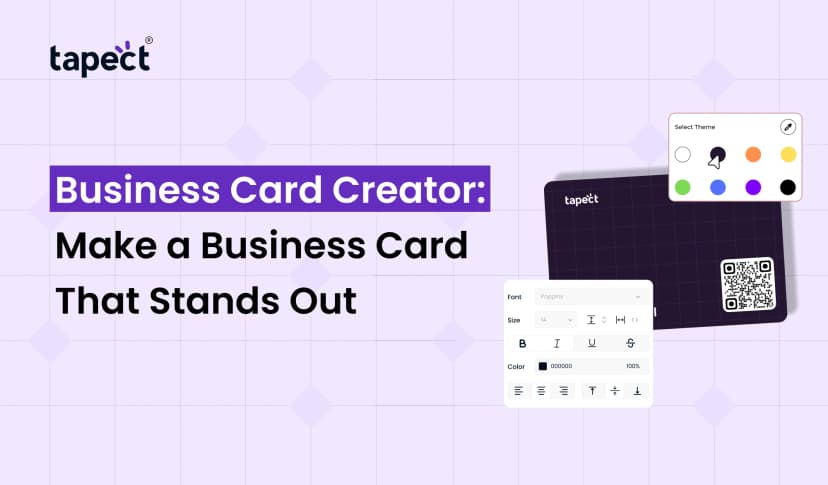
Add QR Code to Your Business Card
Your card can be more useful with a QR code.
When someone scans the code, send them to your digital profile, website, contact page or social media profile.
Business Card Builder Find a Business Card Builder where you can add a QR code to your design.
The code can be printed in the back of a card or a digital card.
To add a simple instruction, like:
“Scan to get my contact”
This is telling people what to do.
Create Multiple Cards for Your Team
A Business Card Builder can be handy for businesses with multiple employees, as well.
Instead of creating each card from scratch, you can maintain the same brand style across your team.
For example, each employee may have:
- Same company logo
- Same brand colors
- Same layout
- Different name
- Different job title
- Different contact information
This gives your team a consistent professional face.
Business Card Builder vs Traditional Design
The conventional design methods work well but may require more time and design skills.
An online builder offers a simpler workflow:
- Select a template
- Add your details
- Customize the design
- Add your logo
- Add a QR code
- Preview your card
- Save or share it
This is one of the reasons an online business card creator is useful for people who want to create a card without complicated software.
Tips for Creating a Better Business Card
Keep these tips in mind before you finish your design:
- Keep the layout simple.
- Use your brand colours.
- Avoid small text
- Verify all contact info
- Add a powerful call to action
- Professional Logo
- Leave enough empty space
- Test QR codes prior to printing
- Ensure links are working properly
- Update your digital profile
The idea is not to clutter the card. We want it to be helpful.
Create Professional Digital Cards With Tapect
If you’re looking for something a little more modern than a traditional printed card, Tapect can help you create a digital networking experience.
A digital profile lets you share your contact details, social profiles, website and more. You can also combine digital sharing with QR and NFC.
It makes networking easier because people can get your information directly from their phone.
Tapect allows you to create a professional digital identity that can be more easily updated than a traditional printed card.
Why Consider Tapect?
- Digitally send us your contact details.
- QR and NFC connections;
- Add social media links
- Share your site and other links
- Update your information as needed
- reducing the need to print new cards
- Simplify networking
Are you ready to create a smarter business card? Discover Tapect and turn your contact information into a simple-to-share digital profile.
FAQs
1. What is Business Card Maker?
A Business Card Builder is an online tool that enables you to create a business card by adding your contact information, logo, colours, and other info.
2. Is it free to make a business card?
Yes. A free online business card maker allows you to create a simple card without buying design software. Some features may vary by platform.
3. What should I put on my business card?
Include your name, job title, company name, phone number, email, website, and other important contact details.
4. Can I put a QR code on my business card?
Yes. A QR code can link to your website, digital profile, contact page or social media accounts.
5. Is a visiting card builder good for small business?
Yes . A visiting card maker can help small businesses create a professional card without needing advanced design skills.
6. Is it possible to make a digital business card online?
Yes. You are able to create digital profile that can be accessed from a mobile device using an online business card creator.
7. Is the design usable for the entire team?
Yes You can change the name, job title and contact details for each employee, while keeping the same brand style.
Conclusion
A Business Card Builder lets you easily design a professional card without the complexity of design software. Choose a template, put in your information, customise the design and share your card online.
Digital cards, QR codes and NFC sharing can help business and professionals make networking easier than with a traditional printed card.
Want an easy way to build a modern digital identity? Tapect offers you another way to share your contact details and online profiles.
Start building your professional digital business card with Tapect and make it easier to remember and follow up with each new connection.
 29 Sept 2026
 business