Your business card is often the first thing someone sees after meeting you. A good card will make your business look professional and help people remember you. But you don’t always have to spend a lot of money to make one.
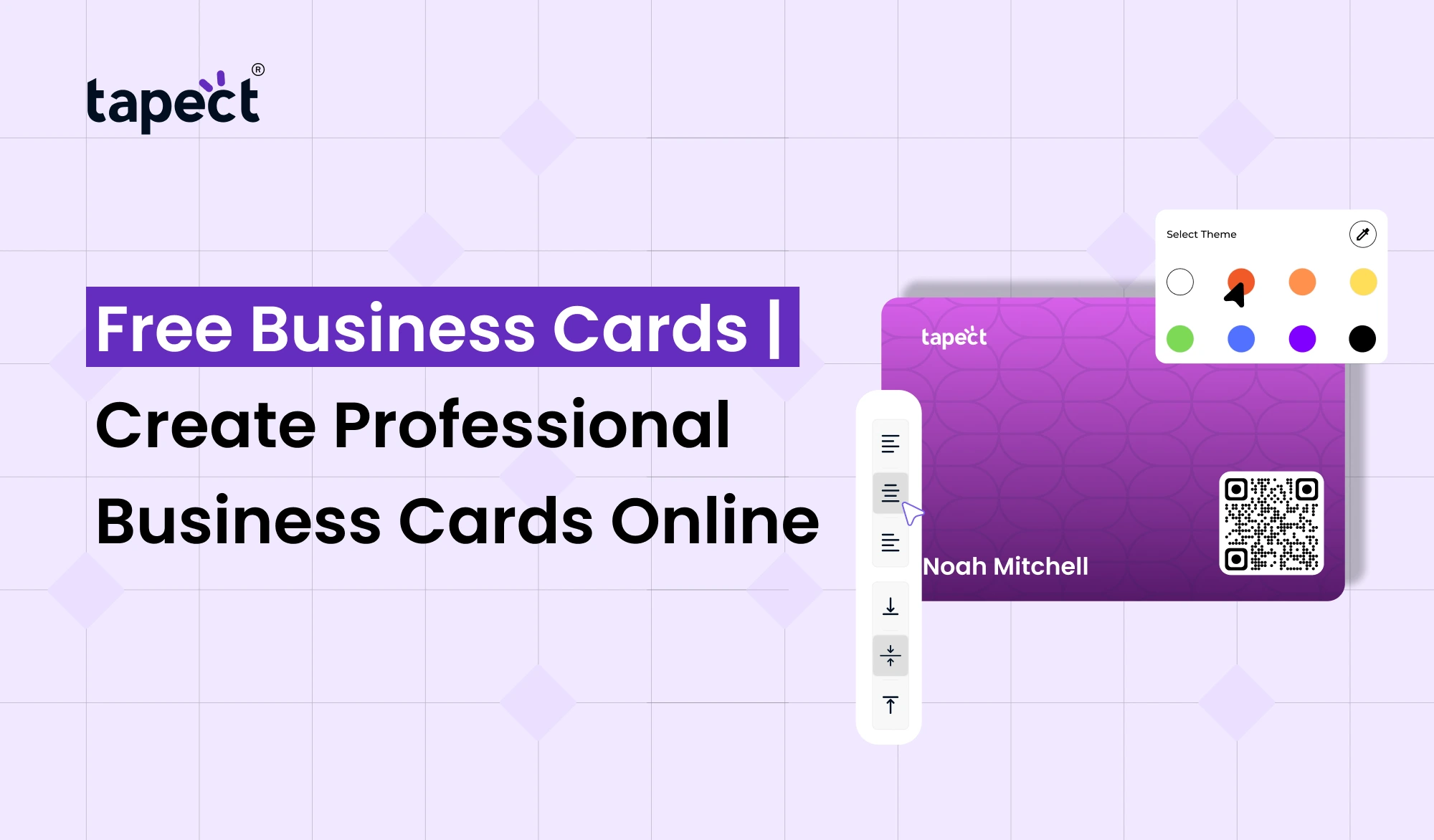
Free Business Cards lets you create a professional-looking card on the web without starting from scratch. Add your name, phone number, email, website, social media profiles and other important details in one simple design.
Today, thanks to electronic devices, networking for business has become easy too. Along with printed cards, share your information instantly with a digital business card, QR code or nfc business card.
If you’re a freelancer, business owner, sales professional or someone who is launching a new business, making Free Business Cards can be a smart way to build your professional identity.
What Are Free Business Cards?
Free Business Cards means business card designs that you can create online for free without paying any design fee. There are plenty of online platforms that offer ready-to-use layouts. You can customise them to fit your brand.
Select a design, insert your info, change the colours, and add your logo. When your design is done, you’re able to publish it online or get it ready for printing.
And the best thing is you don’t need advanced design skills. A simple editor will help you create a professional card in just a few minutes.
Why Create Business Cards Online?
It’s easier and quicker to order your card online. You don’t need to get a designer for every little change.
An online business card maker lets you:
- Choose from different professional templates
- Add your company logo
- Change fonts and colors
- Add phone and email details
- Include your website and social profiles
- Create a card that matches your brand
- Edit your details whenever needed
For startups and small businesses, free business cards can be an easy way to begin professional networking.
Free Business Cards vs Cheap Business Cards
Usually people search for Cheap Business Cards when they want to keep the printing costs low. That can be a good thing if you need a lot of physical cards.
But the cost shouldn’t be the only thing you think about.
A good business card should be clear, readable and relevant to your business identity. A card that’s too plain or too detailed might not give a good impression.
Free Business Cards are useful if you want to create and test a design before you spend money on printing.
Once you have a design you like, you can choose to print it or use it digitally.
What Information Should You Add?
Your card does not need to have all your business details. The info is usable and scannable.
A professional card can have:
- Full name
- Job title
- Business name
- Phone number
- Email address
- Website
- Business location
- Social media links
- Company logo
- QR code
When using Free Business Cards for a company, be sure to keep your branding consistent with your website and other marketing materials.
Make Your Card Look Professional
Free design doesn’t have to be cheap looking. Small design decisions make a big difference.
Go with two or three colours that compliment your brand. Choose a font that is easy to read. Keep enough empty space around your information.
Don’t stuff every part of the card with text. People should be able to understand who you are and what you do in seconds.
Free Business Cards can be as professional in appearance as many paid designs with a clean layout.
Add a Free Digital Visiting Card
Physical cards are convenient, but they are easy to lose. That’s where a Free Digital Visiting Card can be of assistance.
Share your contact information via a link with a digital card. Send it through WhatsApp, email, text messages or social media.
You can also include a QR code on your printed card. If someone scans it, they can access your digital profile and save your contact information.
This gives you a physical and a digital option for your networking strategy.
Use a Free Virtual Business Card
Another easy way to broadcast your professional information online is with a Free Virtual Business Card .
Instead of giving someone a paper card, you can simply direct them to your digital profile.
This is useful for:
- You meet clients online.
- You work from home
- You go to virtual events
- Social media engages you with customers
- You want to share contact details on whatsapp
The free business cards, combined with a digital profile, enable you to connect with people both offline and online.
How Tapect Can Help
Tapect takes the old school idea of the business card and brings it to the digital world, making modern networking easier.
Tapect allows you to create a professional digital business card and share your details beyond paper cards.
You may also share your profile with a tap of a simple nfc business card. This can be useful at meetings, events, conferences and business networking events.
Some features to look for that are useful:
- Digital contact sharing
- QR code sharing
- NFC-based contact sharing
- Social media links
- Website links
- Contact information
- Professional profile pages
If you’re making the switch from traditional cards to modern networking, Tapect can help make sharing your details a smoother transition.
How to Create Free Business Cards Online
Designing free business cards doesn’t have to be hard.
Step 1: Choose a Template
Choose a clean template that fits your profession and brand.
Step 2: Add Your Details
Enter your name, title, business name, phone number, email and website.
Step 3: Add Your Branding
Upload your logo and pick colours that represent your business.
Step 4: Add Digital Options
Think about including a QR code that will take people to your digital business card.
Step 5: Check Everything
Carefully read your details. Before sharing the card, check your phone number, email, website and social links.
Step 6: Share or Print
When your card is ready, you can either share the digital copy or prepare the design for printing.
How Free Business Cards Can Help With Networking
Networking is about making yourself memorable and easy to reach.
A good design of card gives someone a fast way to save your details. And, they can also check out your business after the meeting when you add a digital profile or QR code.
Imagine you’re at an event and you meet a potential customer. Instead of typing your phone number manually, they can scan your card and access your profile.
This little thing can speed up the whole process.
This is why Free Business Cards can be helpful for freelancers, consultants, agencies, sales teams, and new businesses.
Common Mistakes to Avoid
A free card should still look professional. Don’t make these common mistakes:
- Using too many colors
- Choosing hard-to-read fonts
- Adding unnecessary information
- Using low-quality logos
- Forgetting to check contact details
- Making the QR code too small
- Using an outdated website link
- Creating a cluttered layout
Your card is your business card, so make it simple and clear.
Are Free Business Cards Good for Small Businesses?
Yes. Small businesses generally have to control their marketing expenses. Free Business Cards can help you create a professional identity and you won’t have to pay for design services.
Ideal for start-ups, freelancers, home businesses, consultants and independent professionals.
As your business grows you can update your printed items or add tools like a Free Digital Visiting Card, QR code or nfc business card.
FAQs
1. Is it possible to order Free Business Cards online?
Yes. Online business card tools are available that can help you create and customise your card without paying a design fee.
2. Are Free Business Cards professional?
Yes. Using a clean layout, readable fonts, good spacing and consistent branding, a free card can look professional.
3. Can I include a QR code on my business card?
Yes. The QR code can link your printed card to your website, contact page, social profiles or digital business card.
4. What is Free Digital Visiting Card?
A Free Digital Visiting Card is your business card in an online format that you can share through a link or QR code.
5. What is NFC Business Card?
An nfc business card leverages nfc technology to transfer your digital contact profile to a compatible smartphone when it is tapped against the card.
6. Are cheap business cards worth it?
Cheap Business Cards are great when you need printed cards at a low cost. Just make sure the printing quality and design still looks professional.
7. Can I use Free Business Cards for my business?
“Yes. You are able to design company card with your logo, business name, contact details, website and other important information.
Conclusion
A professional business card doesn’t have to be expensive. Create a nice and useful card to represent your business and help you network with Free Business Cards.
Start with a simple printed design and later add modern options like Free Virtual Business Card, QR code, digital business card, nfc business card.
The goal is simple. Make it easy for people to remember you and reach you.
Ready to Create Your Professional Business Card?
Build your modern business identity today with Tapect. Build a professional digital profile, share your contact details right away and grab every networking opportunity.
 16 Oct 2026
 business