A business card is still one of the easiest methods to give someone your information. People still trust things they can touch, see, and keep, even in a digital environment. But a simple card isn’t enough these days. You need a good blend of design, tech, and clear information.
Your Business Visiting Card should stand out if you want more leads, stronger relationships, and a strong brand image.
This article will show you how to design it, give you new ideas, and even show you how to use free templates. We will also show you how solutions like Tapect may help you switch from paper to smart cards.
What is a Business Visiting Card?
A Business Visiting Card is a little card that has your contact information on it. It normally has your business name, phone number, email address, and name.
Things have changed, though.
Your Business Visiting Card can now link to your website, social media, or online presence. It can even be used as a digital business card, which makes it even more useful.
Why Business Visiting Cards Still Matter
You could assume that cards are out of style. But they still work.
This is why a Business Visiting Card is important:
The First Impression Matters
People notice your style and brand when you give them your business card.
Simple to Share
Not everyone wants to enter your information. A card makes it easy.
Gains Trust
A true and professional business card feels like a real business card.
Works with digital tools
For broader reach, you can link your Business Visiting Card to a digital business card platform.
What to Include in Your Business Visiting Card
Make sure your card is tidy and functional. Don’t put too much on it.
This is what your business card should look like:
- Your complete name
- Name of the business or job title
- Number to call
- Email address, website or link, and logo
You can also add:
- QR code
- Links to social media
- Link to your online business card
This makes your business card more fun to use.
Modern Types of Business Visiting Cards
Let’s look at some types you can utilise right now.
1. Traditional Visiting Card
This is the most basic printed business card. Easy and cheap.
2. Digital Business Card
A digital business card is a card that you can use online. You can send it to someone with a link or QR code.
To stay up to date, a lot of professionals now make digital business card profiles.
3. NFC Business Card
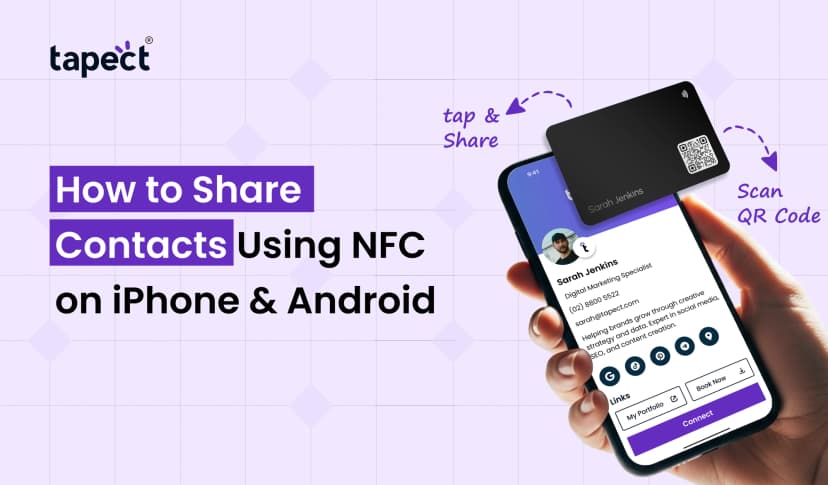
You can exchange your information by tapping an NFC business card on a phone.
It has an NFC card chip inside that makes sharing quick and easy.
4. Hybrid Card
This is a mix of print and technology. Your Business Visiting Card has both a QR code and an NFC feature for business cards.
How to Design a Business Visiting Card (Step-by-Step)
Design is really important. People don’t pay attention to a card that isn’t well designed.
To make a strong business card, do the following:
Step 1: Pick the Right Size
The standard size is convenient to carry and looks professional.
Step 2: Choose a clean layout
Don’t make your business card too busy. Leave room between things.
Step 3: Choose fonts that are easy to read
Don’t use fancy typefaces. Simple fonts make it easy to read your business card.
Step 4: Pick the colours for your brand
Be true to your brand. This makes it easier for people to recall your business card.
Step 5: Include Smart Features
Add a QR code or link to the platform where you keep your digital business card.
Creative Business Visiting Card Ideas
Want your card to be different? Try these things:
Minimal Design
Business Visiting Card that is clean and basic, with less components.
Bright Colours
Use bright colours to get people’s attention.
Shape That Is Unique
Cards with rounded corners or square corners seem different.
Card with a QR Code
Connect your business card to your profile or portfolio.
Card with NFC
Share information right away with an NFC business card.
A Personal Touch
A bespoke visiting card with your picture or motto helps people connect.
Free Templates for Business Visiting Card
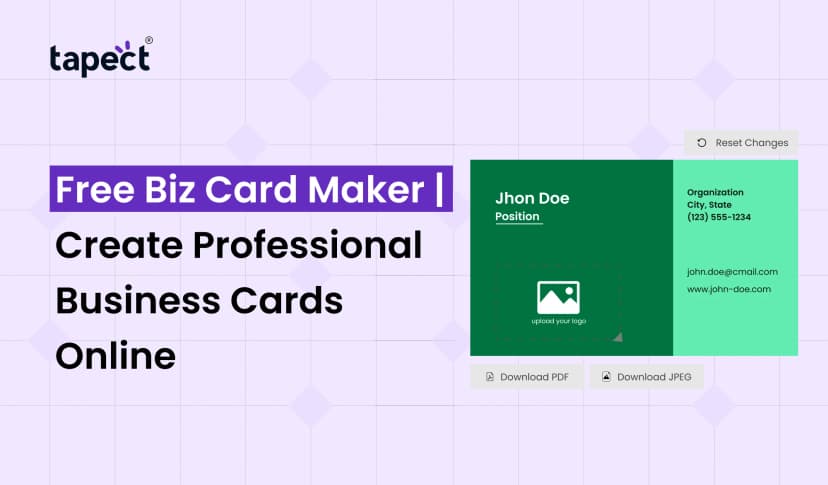
You don’t always require a designer. You can get templates for free.
Where to Find Templates
- Canva
- Adobe Express
- Free online tools
These platforms help you create a Business Visiting Card in minutes.
Tips When Using Templates
- Customize colors
- Add your logo
- Update fonts
- Keep it simple
Templates are a good place to start, but your Business Visiting Card should always reflect your brand.
How Tapect Helps You Create Smart Visiting Cards
If you want something stronger, Tapect can assist.
You can do the following with Tapect:
- Create a smart digital business card
- Link your printed Business Visiting Card to your profile
- Use business card nfc for tap sharing
- Update your details anytime
This means you don’t have to print your Business Visiting Card over and over again.
Digital Business Card vs Traditional Card
Let’s keep it simple.
Traditional Visiting Card
- Easy to carry
- No tech needed
- Limited info
Digital Business Card
- Easy to update
- More details
- Share with link
Your business card should link to your digital business card. This provides you the best of both worlds.
Common Mistakes to Avoid
If you make these blunders, even a fantastic idea can fail:
Too Much Data
Take care of your business card.
Bad Print Quality
Cards that aren’t high quality seem amateurish.
No Call to Action
Tell individuals what they should do next.
Not using digital tools
If you don’t link your digital business card platform, you are missing out.
Tips to Make Your Business Visiting Card More Effective
Try this if you want better results:
Include a QR Code
This makes your business card interactive.
Use NFC tech
An NFC business card makes it easy to share.
Keep it up to date
Make sure you always keep your business card information up to current.
Focus on your brand
Your card should clearly show what your business is about.
Future of Business Visiting Cards
The future is smart and online.
More people are using:
- digital business card
- nfc card
- Contactless sharing
Your business card will do more than just give out contact information. It will turn into a full profile.
Companies like Tapect are already helping firms go in this path.
FAQs
1. What is a business card?
A Business Visiting Card is a card that has your business and contact information on it.
2. Is it possible to make a digital business card for free?
Yes, there are a lot of free programs that help you make digital business cards.
3. What is a business card with NFC?
An NFC business card shares data by tapping an NFC card chip.
4. Is a digital business card better than a printed one?
There are good things about both. The greatest kind of business card is one with a digital link.
5. What should I put on my business card?
Your name, phone number, email address, and links to your digital business card platform.
Conclusion
A business card is more than simply a piece of paper. It’s your identity, your initial impression, and a way to meet others.
It can really help your business if you use it wisely.
Pay attention to a clean design, precise details, and current elements like QR codes or NFC business cards. To keep ahead, use both a printed and a digital business card.
Tools like Tapect can help you make, maintain, and share your Business Visiting Card in a better way if you want to make things easier.
Start with the basics. Get well little by little. And make every card you give out a new chance.
 23 Aug 2026
 business